
The Ultimate Guide for migrating from Magento to Shopify in 2026
Making the switch from Magento to Shopify can be a challenging project, especially if your website is like many Magento instances that have years of data and custom functionality built into it.
However the good news is migrations don’t have to be painful. When planned correctly and executed by the right team, moving from Magento to Shopify can be smooth, strategic, and even transformative for your business. With many benefits such as lowered maintenance costs, better integrations with third party services and performance improvements.
This guide will walk you through everything you need to know about migrating from Magento to Shopify, whether you’re handling parts of it in-house or partnering with specialists (like us) who can fill the gaps your team doesn’t have time or expertise to manage.
Why Businesses Are Leaving Magento for Shopify
Before we dive into the how, let’s talk about the why. If you’re reading this, you probably already have your reasons for considering the switch.
The Magento Reality Check
 Magento (Adobe Commerce) is undeniably powerful. It’s built for complex, customizable ecommerce operations. It can sometimes be the best or only option for very specific business requirements. But that power comes at a cost—literally and figuratively.
The challenges businesses face with Magento:
Ongoing maintenance is a constant drain on resources. Between security patches, platform updates, and server management, many mid-sized businesses are not well suited for the platform. Magento has a steep technical learning curve that often requires full stack developer involvement. What starts as a manageable monthly expense quickly balloons when you factor in hosting, security, developer support, and the ongoing extension costs. Many businesses find themselves spending thousands monthly just to maintain their Magento store, before adding any new functionality.
Adobe’s long term investment in developing and improving the platform is somewhat unknown. Magento has had a long history of transitions, and while Adobe has worked hard to stabilize the platform, for those using it since Magento 2.0 not much has really changed. For many businesses Magento lags behind platforms like Shopify in terms of its new features, capabilities, overall security and ease of use for their internal marketing or design teams. When asked about upgrading from even Magento 2.4.7 to 2.4.8 it’s less about new features and more about security updates.
Conflicting extensions and custom code continue to be a problem for most Magento instances. For business owners and users of the platform it can often feel like fixing something over here breaks a completely unrelated area of the website. Even just completing QA on a Magento website is a massive undertaking because of the need to review every part of both the admin and frontend.
The Shopify Advantage
 Shopify takes a fundamentally different approach by working as a SaaS.
What Shopify gets right:
Fully managed infrastructure means Shopify handles hosting, security, PCI compliance, SSL certificates, and platform updates automatically. Your team can focus on selling products and serving customers instead of needing to retain a highly technical team. This isn’t just convenient—it’s a strategic shift that frees up resources for activities that actually drive revenue. The user-friendly interface dramatically reduces your dependence on developers for routine tasks. Your marketing team can launch promotions, your merchandising team can update products, and your operations team can manage fulfillment—all without submitting tickets to IT.
Predictable, transparent pricing makes budgeting straightforward. You know what you’re paying each month. Development and support costs are cut dramatically after the migration work. For example, most of our clients only engage our team for one off tasks or redesigns after their migration to the platform. In comparison weekly or daily requests that require a developer.
Built-in features cover the essentials right out of the box. Mobile optimization, abandoned cart recovery, discount codes, gift cards, AI capabilities and multi-channel selling are standard. No need to cobble together a dozen extensions to achieve basic ecommerce functionality.
The app ecosystem provides thousands of vetted integrations. When you do need specialized functionality, Shopify’s App Store offers solutions that often install in minutes and there’s likely an app that solves your need without custom development. When you do need custom development you can also create your own app that handles your business’s specific needs.
What Migration Actually Means (And What It Doesn’t)
Let’s clear up a common misconception: migration isn’t about recreating your Magento store pixel-for-pixel on Shopify. That’s both impossible and undesirable. A successful migration is about transferring your valuable data—products, customers, orders—while rebuilding your store to take advantage of Shopify’s strengths. It’s equal parts data transfer and strategic redesign.
What transfers directly:
- Product catalog (titles, descriptions, SKUs, prices, images)
- Customer information (names, emails, addresses, purchase history)
- Order history (for support and analytics purposes)
- Content from blog posts and static pages
- Basic SEO elements (meta titles, descriptions, alt text)
What requires rebuilding:
- Site design and theme (Magento themes are incompatible with Shopify)
- Custom functionality (workflows, automations, special features)
- Third-party integrations (ERPs, CRMs, payment gateways may need reconfiguration)
- Navigation and site architecture (optimized for Shopify’s structure)
What doesn’t transfer (and alternatives):
- Customer passwords (customers will reset their passwords on first login)
- Some custom product attributes (may require workarounds or metafields)
- Complex product configurations (Shopify Plus handles advanced use cases)
- Transactional data (you will need to refund using your prior payment provider)
Understanding these distinctions helps you set realistic expectations and allocate resources appropriately.
The Three Phases of a Successful Migration
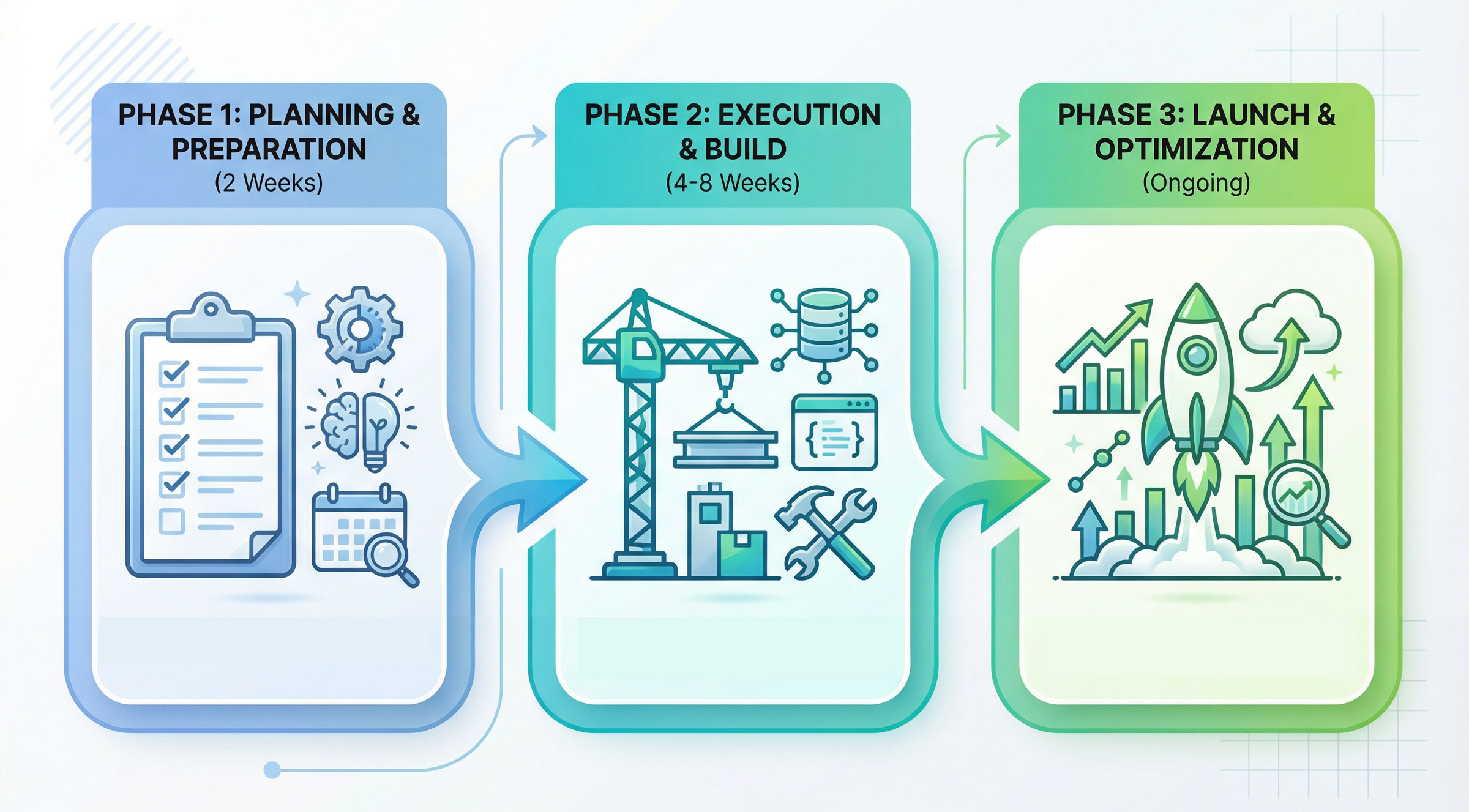
Every successful Magento to Shopify migration follows three distinct phases. Skipping or rushing any of these phases is where most migration problems originate.
Phase 1: Planning and Preparation (2 weeks)
This is where you set yourself up for success. The goal is to create a clear roadmap, identify potential challenges, and assemble the right resources before you touch a single line of code or migrate a single product.
Step 1: Magento Audit
Before you can migrate effectively, you need to understand exactly what you have, what you need, and what you don’t need. An audit will help you decide on clear objectives for the migration project.
Product Catalog Audit:
- How many active products do you have?
- How many active categories do you have?
- Are there discontinued or test products that shouldn’t migrate?
- Are you using bundled or group products?
- Do you have a large amount of variants (simple products under a configurable product) that would exceed Shopify’s limits?
- Do you use any extensions or custom code to allow for things like a product configurator or custom inputs?
- Do you sell subscription products or have recurring orders?
Customer and Order Data Review:
- How many customer accounts exist?
- How much historical order data should be brought over?
- What customer data is essential vs. nice-to-have?
Functionality Assessment:
- Review your extensions and assess what functionality they provide is needed.
- Review your custom modules in Magento and make a list of what custom functionality is in place.
- Research Shopify equivalents for each and begin a plan for your needed plugins from the Shopify App Store.
Integration and Inventory:
- Document all third-party integrations (payment gateways, shipping providers, ERP systems, CRM platforms, marketing tools, analytics).
- Verify which integrations have Shopify-compatible versions.
- Identify integrations that will require custom API development or middleware.
Content Mapping:
- Determine a list of what pages, blog posts or other content that you want to migrate.
- Determine what content needs to be updated or redesigned.
- If using tools like Magento’s page builder decide on a plan for recreating that content in Shopify.
This audit serves a dual purpose: it helps you migrate efficiently, and it gives you a chance to clean house. You’re not just moving to a new platform—you’re optimizing your business in the process.
Step 2: Assign Project Resources
Migration requires diverse expertise. Most businesses find they need a combination of internal resources and specialized external support.
Key roles in a successful migration:
Project Manager: Coordinates timeline, manages stakeholders, ensures nothing falls through cracks. This should be someone internal who understands all aspects of the current website and can make decisions along the way.
Data Migration Specialist: Handles the technical transfer of products, customers, and orders. This requires a deep understanding of both platforms, including the Magento database and Shopify APIs.
Designer: Creates mockups or a style guide for the new website theme. Responsible for making UX and design decisions for the new theme.
Shopify Developer: Builds and customizes your Shopify theme based on designs and implements any custom design requirements if you decide to purchase an existing theme.
SEO Specialist: Maps URLs, sets up redirects, ensures metadata transfers correctly, monitors ranking impacts. This role is critical for preserving the organic traffic you’ve worked years to build.
QA/Testing: Verifies data accuracy, tests all functionality, identifies areas that might be overlooked initially.
For many mid-sized businesses, the winning formula is keeping strategy and project management in-house while partnering with a specialized agency for technical execution. This gives you control over business decisions while ensuring technical components are handled by experts who’ve done dozens of migrations.
Step 3: Choose Your Migration Timeline
Timing matters. Consider:
- Your seasonal sales patterns (avoid peak seasons)
- Internal resource availability
- Major promotions or product launches
- Technical dependencies
Most migrations take 8-12 weeks from planning to launch, though this varies based on complexity. Build in buffer time for unexpected challenges.
Phase 2: Execution and Build (4-8 weeks)
This is where the actual work happens. The key is systematic execution, frequent testing, and maintaining clear communication across your team.
Step 4: Set Up Your Shopify Environment
Start by creating your Shopify account and configuring the foundational settings.
Initial Shopify setup checklist:
- Choose appropriate plan (consider Shopify Plus if you have enterprise needs)
- Configure domain settings (but don’t point DNS yet)
- Set up user accounts and permissions for team members
- Configure tax settings for all jurisdictions where you sell
- Add payment gateways (note: Shopify Payments offers the lowest transaction fees)
- Set up shipping zones and rates
- Configure checkout settings and customer accounts
Theme selection strategy:
You have three paths: use a premium theme from Shopify’s Theme Store (fastest, most cost-effective), customize a premium theme to match your brand (balanced approach), or build a completely custom theme (maximum flexibility, highest cost).
For most businesses, starting with a premium theme and customizing it delivers the best balance of speed, cost, and customization. Modern Shopify themes are sophisticated, mobile-optimized, and built on the flexible Online Store 2.0 framework.
When evaluating themes, prioritize:
- Mobile responsiveness (test on actual devices)
- Page speed performance
- Built-in features that match your needs
- Customization flexibility
- Developer documentation and support
Step 5: Migrate Your Data
This is the technical heart of your migration. How you approach it depends on your store’s complexity and your team’s capabilities.
Migration method options:
Automated Migration Apps: Matrixify can automate the bulk of data transfer. This app works well for straightforward migrations but may struggle with heavily customized Magento stores.
Manual CSV Export/Import: Export data from Magento as CSV files, clean and format the data, then import to Shopify. This gives you maximum control over data quality but is time-intensive. Best for smaller catalogs or when you want to thoroughly clean data during migration.
Custom API Development: For complex migrations with unique requirements, custom scripts using both platforms’ APIs provide maximum flexibility. This requires developer expertise but handles edge cases that automated tools miss.
Professional Migration Services: Specialized agencies like Cadence Labs handle the entire technical process, often using a combination of automated tools, AI solutions and custom development. This is ideal when your team lacks bandwidth or technical expertise.
Step-by-step data migration process:
Start with a test migration using a small subset of data. This reveals formatting issues, attribute mapping challenges, and other technical problems before you migrate your entire catalog. Many businesses do 2-3 test migrations, refining their process each time.
Clean your data before migrating. This is your opportunity to remove discontinued products, consolidate duplicates, update outdated information, and fix broken image links. Clean data going in means fewer problems coming out.
Migrate data in the recommended sequence:
- Product categories and collections first
- Products and variants (with all attributes, images, and pricing)
- Customer accounts (without passwords, which must be reset)
- Historical orders (for reference and customer service)
- Blog posts and page content
- Redirects and SEO elements
After each migration batch, verify data accuracy. Check random products for correct prices, variants, and images. Verify customer records are complete. Confirm order history displays properly.
Step 6: Rebuild Functionality
With your data in Shopify, turn your attention to recreating critical functionality.
Evaluate each custom feature:
- Is this feature still needed, or was it built to solve a problem that no longer exists?
- Does Shopify have this built-in?
- Is there an app in Shopify’s App Store that provides this functionality?
- Does this require custom development?
Common functionality and Shopify solutions:
Advanced product filtering: Apps like Boost Commerce or Searchanise provide sophisticated filtering beyond Shopify’s native capabilities.
Subscription/recurring billing: Apps like Recharge or Shopify’s native subscriptions handle recurring orders.
Wholesale/B2B functionality: Shopify Plus includes wholesale channel, or use apps like Wholesale All In One.
Product bundles: Apps like Wide Bundle or Bold Bundles create bundle offerings.
Custom checkout modifications: Shopify Plus allows checkout customization; standard plans work within Shopify’s checkout framework but can modify post-purchase experiences.
Advanced shipping rules: Shopify’s native shipping is powerful, supplemented by apps like Advanced Shipping Rules for complex needs.
ERP/inventory integrations: Most major ERPs have Shopify connectors or can connect via middleware platforms like Celigo or Commercient.
Work with your development team or agency partner to implement these solutions efficiently. The goal is functional parity for features that matter, not necessarily identical implementation.
Step 7: Design
With data migrated and functionality rebuilt, now it’s time to focus on creating an excellent customer experience. Much of this will come down to the new design for your website and making sure the user experience (UX) works properly for your customers.
Design considerations for Shopify:
Most businesses choose to use a Shopify theme from their Theme Store. Themes generally come with a number of premade sections and reviewing those with your designer or developer is a good starting point. You’ll save time and money by using what a theme has to start rather than customizing each part of the page.
Most Shopify themes have demos available on the Shopify Theme Store and it’s a good idea to look through a theme on both desktop and mobile before you make decisions about which one to use. Also look through their documentation to see what features they might offer that you would want to take advantage of. Often with the cost of development on Magento there might be many features that your team has put off, so consider if you want to add them in as part of your migration or if you want to make those features a post launch priority.
The goal with your design is to maintain brand consistency while embracing Shopify’s strengths. Your new store doesn’t have to look identical to your Magento store—in fact, this is an opportunity to modernize your design while maintaining brand recognition.
Consider using Figma to mock up designs based on your selected theme. We also recommend creating a web brand guide or style guide which you can share with your development team to implement standardized designs across all of your pages that didn’t require a specific mock up.
Once the design is done you are ready to move onto the most important part of the process!
Step 8: Testing and SEO Planning
Once you have your theme implemented, apps added and the content brought into the store you need to test your design extensively using tools like Browser Stack.
Comprehensive testing checklist:
Collection and product pages:
- The correct products appear within your collections
- All products display correctly with images, prices, and descriptions
- Variant selection works as expected
- Product filtering and search return accurate results
- Related products and recommendations display properly
Cart and checkout:
- Products add to cart correctly
- Cart calculations are accurate (prices, taxes, shipping)
- Discount codes apply properly
- All payment methods work
- Shipping options calculate correctly for all locations
- Email notifications are sent at appropriate times
Customer accounts:
- Customers can log in (remember, they’ll need to reset passwords)
- Order history displays correctly
- Account information saves properly
- Password reset functionality works
Mobile experience:
- Navigation is intuitive on small screens
- Images and text are appropriately sized
- Forms are easy to complete on mobile
- Checkout flows smoothly on phones
Integrations:
- Email marketing platform connects correctly
- Analytics tracking fires on all important events
- ERP/inventory systems sync properly
- Shipping carriers integrate successfully
- Social media pixels track conversions
SEO elements:
- Meta titles and descriptions appear correctly
- Image alt text is present
- Structured data (if used) validates properly
- Redirects work as intended
- Sitemaps generate correctly
Try testing with real team members who weren’t involved in the build. Fresh eyes catch issues that you might have grown blind to. Consider beta testing with a small group of customers if your business model allows it.
Critical SEO preservation tactics:
301 redirects: Create a spreadsheet mapping every important Magento URL to its new Shopify equivalent. This includes product pages, category pages, blog posts, and any other indexed content. Tools like Matrixify can make this easier as they generate many of the 301s as part of their import process.
Metadata transfer: Don’t let your carefully crafted meta titles and descriptions get lost, make sure these are coming over as part of your data migration process.
Alt text for images: Image alt text serves both SEO and accessibility purposes. Ensure all product images transfer with their alt text intact.
Internal linking preservation: If you have strategic internal links within content, make sure to update them to point to new Shopify URLs.
Sitemap submission: Once your new Shopify store is live, submit updated sitemaps to Google Search Console and Bing Webmaster Tools.
Phase 3: Launch and Optimization (Ongoing)
You’re almost there. The final phase is about launching confidently and optimizing continuously.
Step 9: Plan Your Launch
A smooth launch requires careful coordination and clear communication.
Pre-launch checklist:
Technical preparations:
- Complete final data sync to capture any orders/customers from the last days on Magento as a “catch up”.
- Verify all 301 redirects are in place.
- Double-check all integration connections.
- Make sure your Domain’s TTL is set low for a faster DNS update.
- Confirm payment gateways are live.
- Test checkout process end-to-end one final time.
Communication planning:
- Draft customer communication explaining the transition – this is a great opportunity to run a promotion!
- Prepare FAQs addressing common customer questions.
- Brief customer service team on changes and potential issues.
- Notify any key partners or stakeholders of launch timing.
Timing strategy:
- Choose a lower-traffic day/time for the switch (typically mid-week, avoiding Monday mornings and Friday afternoons).
- Avoid major sales periods or product launches.
- Consider your team’s availability (ensure key team members are available for 24 hours post-launch).
- Plan for international time zones if you have global customers.
The launch day process:
- Put Magento store in maintenance mode to prevent new orders during transition.
- Complete final data export from Magento.
- Import final data batch to Shopify.
- Run final checkout test on Shopify.
- Update DNS to point your domain to Shopify.
- Monitor DNS propagation (can take 24-48 hours for full global propagation).
- Place test order to confirm the entire flow works.
- Send customer communication about the transition.
- Monitor closely for the first 24 hours.
Step 10: Post Launch Monitoring
The days and weeks following your launch are critical. This is when you’ll identify and resolve any issues that testing didn’t catch.
Week 1 priorities:
Monitor traffic and conversion metrics hourly for the first 24 hours, then daily for the first week. Look for anomalies or unexpected drops that might indicate technical problems.
Watch customer support channels closely. Customer questions and complaints often reveal issues that testing missed. Create a system for logging and prioritizing issues.
Check Google Search Console daily for crawl errors or indexing issues. Address any problems immediately to prevent SEO impact.
Verify all automations are firing (abandoned cart emails, order confirmations, shipping notifications).
Step 11: Ongoing Optimization
Migration isn’t the end of your journey—it’s the beginning. Shopify’s ecosystem provides lots of opportunities for continuous improvement.
Regularly review app usage. Remove apps you’re not actively using to improve performance.
A/B test key elements like product pages, checkout flow, and promotional strategies.
Leverage Shopify’s analytics to understand customer behavior and optimize accordingly.
Stay current with new Shopify features and apps that could benefit your business!
Common Shopify Migration Challenges (And How to Overcome Them)
Even with careful planning, migrations sometimes encounter challenges. Here are the most common issues and how to address them:
Challenge: SEO traffic drops after migration
This is the nightmare scenario, but it’s usually preventable and fixable.
Prevention: Implement comprehensive 301 redirects before launch, preserve all metadata, maintain URL structure where possible, submit updated sitemaps immediately after launch.
Solution if it happens: Audit redirects to ensure they’re all working correctly, check Google Search Console for crawl errors, and ensure your sitemap is properly configured. An SEO tool may also be helpful in identifying issues especially if you have data from before the switchover.
Challenge: Data doesn’t transfer correctly
Sometimes data imports result in missing information, incorrect pricing, or broken product associations.
Prevention: Test migrations with small data batches first, verify data format compatibility before full migration, clean data before migrating, implement thorough QA process.
Solution if it happens: Identify the scope of the problem (isolated or widespread), re-export and re-import affected data, manually correct critical items if necessary, implement additional validation steps for future data updates.
Challenge: Custom functionality doesn’t have Shopify equivalent
Your Magento store might have custom features that are not available on Shopify.
Prevention: Audit functionality early in planning phase, research Shopify alternatives before committing to migration, budget for custom development if necessary to develop your own custom application or consider a headless web application.
Solution if it happens: Explore Shopify’s app ecosystem for alternative solutions, consider whether the feature is truly necessary or if a simpler approach could work. Consider using Shopify Plus if advanced customization is needed and you have very specific requirements.
Challenge: Integration complications
Third-party systems that worked seamlessly with Magento might require different approaches for Shopify.
Prevention: Verify Shopify compatibility for all critical integrations before migration, test integration connections in development environment, work with integration vendors to plan migration.
Solution if it happens: Leverage middleware platforms to bridge incompatible systems, explore alternative service providers with better Shopify integration, budget for custom API development if necessary, prioritize integrations by business impact and address critical ones first.
Challenge: Customer password reset confusion
Since passwords can’t migrate, customers must reset their passwords, which can cause friction and support tickets.
Prevention: Communicate clearly with customers before launch about password reset requirements, make password reset process as smooth as possible, prepare customer service team for increased password-related support requests.
Solution if it happens: Send proactive password reset emails to all customers, create prominent messaging on login page explaining process, have customer service team ready to help with password resets, consider offering small incentive for completing account activation to reduce friction.
When to Bring in Professional Help
Many aspects of migration can be handled in-house, especially if you have technical team members with time to dedicate to the project. However, certain situations strongly favor working with migration specialists.
Consider professional migration services if:
- Your Magento store is heavily customized with unique functionality that requires specialized expertise to recreate or adapt for Shopify.
- You lack in-house bandwidth to manage the project. Migration done poorly costs more than doing it right the first time with expert help.
- Your product catalog is large or complex. Stores with 10,000+ products, complex variant structures, or intricate product relationships benefit from automated tools and experienced hands.
- SEO is a critical traffic source for your business. Migration specialists understand the nuances of preserving search rankings and have processes proven across dozens of migrations.
- You need migration completed within a tight timeline. Experienced teams work more efficiently than those learning as they go.
- Data integrity is non-negotiable. In industries where product information accuracy directly impacts compliance or customer safety, professional data migration provides an extra layer of validation and quality control.
- You require custom development for unique features or integrations. While Shopify’s app ecosystem is vast, sometimes custom development is necessary, and it’s more efficient when done by teams familiar with both platforms.
What to look for in a migration partner:
- Proven experience with Magento-to-Shopify specifically. All migrations aren’t equal—you want a team that knows both platforms intimately.
- Transparent process and communication. You should understand what’s happening at every phase and have visibility into progress.
- Comprehensive services that match your needs. Some agencies focus purely on data migration; others provide end-to-end support including design, development, and ongoing optimization.
- Strong client references from businesses similar to yours. Ask for case studies or references from migrations with comparable complexity.
- Clear pricing and timeline. Beware of vague estimates—quality migration partners can provide detailed project scopes.
- Post-launch support. The weeks after launch are critical, and having your migration team available for support provides valuable peace of mind.
What specialized agencies like Cadence Labs provide:
- Expert data migration handling the technical complexity of transferring products, customers, orders, and content while maintaining data integrity.
- SEO preservation through comprehensive URL mapping, redirect implementation, and metadata transfer to protect your organic traffic.
- Custom development for unique features that don’t have out-of-the-box Shopify solutions.
- Design services to create a modern, mobile-optimized Shopify store that maintains your brand identity while taking advantage of Shopify’s strengths.
- Integration expertise to connect your ERP, CRM, PIM, shipping, and marketing systems seamlessly.
- Project management to coordinate all workstreams, keep the timeline on track, and serve as a single point of accountability.
- Knowledge transfer ensures your team is trained and comfortable managing the new platform.
- The right migration partner doesn’t just move your data—they fill the specialized expertise gaps that your internal team naturally has, ensuring a successful transition without derailing your team’s other responsibilities.
Measuring Migration Success
How do you know if your migration was successful? Establish these metrics before launch and track them afterward:
Technical Success Metrics:
- Zero critical data loss (all products, customers, and orders transferred accurately)
- Site speed improvement (target: sub-3-second page loads)
- Mobile usability score improvement
- Reduction in downtime and technical issues
SEO Success Metrics:
- Organic traffic retention (target: 90%+ within 30 days post-launch)
- Keyword ranking preservation for critical terms
- Crawl error reduction
- Index coverage maintenance
Business Success Metrics:
- Conversion rate maintenance or improvement
- Revenue per visitor stability
- Average order value trends
- Customer retention and repeat purchase rates
Operational Success Metrics:
- Reduction in time spent on platform maintenance
- Decrease in developer dependency for routine tasks
- Platform-related cost savings
- Time-to-market improvement for new features or products
Customer Experience Metrics:
- Customer satisfaction scores
- Support ticket volume related to site issues
- Checkout abandonment rate
- Mobile conversion rate
Review these metrics at 30, 60, and 90 days post-launch to understand your migration’s impact and identify optimization opportunities.
The Bottom Line: Migration as Transformation
Moving from Magento to Shopify isn’t just a technical project—it’s a strategic transformation that positions your business for more agile, efficient growth.
Yes, migration requires investment of time, resources, and attention. But when done right, it delivers returns that compound over time: lower operational costs, faster time-to-market, reduced technical dependency, improved customer experience, and a platform that scales with your business instead of constraining it.
The key to success is approaching migration as a strategic initiative, not a purely technical task. With clear objectives, thorough planning, the right team (whether internal, external, or hybrid), and systematic execution, you can make the transition smoothly and emerge with a stronger foundation for your ecommerce business.
Ready to start your migration journey? Whether you’re handling it in-house or looking for specialized support to fill the gaps your team doesn’t have, the path forward is clear. Take it one phase at a time, stay focused on your objectives, and don’t hesitate to bring in expertise where you need it.
Your future on Shopify is waiting—let’s make the journey there as smooth and successful as possible.
Need help with your Magento to Shopify migration? Cadence Labs specializes in seamless platform migrations, filling the expertise gaps that internal teams naturally have—from data migration to design to complex integrations. Schedule a free consultation to discuss your specific migration needs.